Case Studies
Scraping ~10,000 energy accounts, every day, for eight months
The problem
A European solar operator had installed solar panels and battery storage on commercial buildings across Italy. Their customers wanted to see how much energy they were generating, storing, and using, and the operator wanted all of it in the dashboard they provided.
The trouble was that none of that data belonged to the operator. It lived in e-distribuzione’s customer portal, which is where the metering data for those buildings ends up, and there was no API to get it out. The only way in was the same way a customer gets in, which is to log into the portal and read the page.
- e-distribuzione
- Playwright
- Normalize
- API service
Temporal queued and scheduled every run, retried failures automatically, and monitored each stage separately — so a failed login looked different from a failed parse.
What I built
I built a pipeline that logged into each customer’s account using credentials the customers themselves had provided, pulled their energy usage and storage figures, normalized the numbers, and delivered them into the operator’s dashboard so their clients could see their own data.
The credentials themselves were kept in a secrets manager rather than sitting in the application database, so the pipeline asked for what it needed at the point it needed it.
The browser automation ran on Playwright, driving a real session through the portal’s login the way a person would. The jobs themselves were queued and run through Temporal, which handled the scheduling and the retries, and gave the whole thing somewhere sensible to resume from when an individual run failed.
It ran daily across roughly 10,000 customer accounts, and stayed in production for about eight months while I was there.
What made it hard
Writing a scraper that works once is not difficult. Keeping one running every day across thousands of accounts is a different problem, and that’s where almost all of the engineering went.
The portal’s markup changed. Not often, but it happened, and a scraper that assumes the page will look the same tomorrow fails quietly, which is the worst way to fail. You find out when somebody notices their dashboard has been empty for a week.
Credentials expired. Customer credentials don’t stay valid forever, and when one stops working the run for that account fails in a way that looks, at first glance, like any other failure. The system had to recognize that case specifically, keep collecting everyone else’s data without interruption, and make it clear that the account needed attention rather than burying it in a pile of generic errors.
The portal rate limited us. Ten thousand logins is a lot of traffic to send at somebody else’s website, and it pushed back. I handled that by backing off when it did, spreading the fetches out across the day instead of running them all at once, and capping how much ran concurrently.
The thing that made all of this manageable was instrumenting each stage of the run separately. When a job failed, I could see which step it died at, and a failed login looks nothing like a failed parse. That one distinction is what separates “this customer needs to re-enter their password” from “the page changed and every single account is about to break,” and you want to know which one you’re dealing with before you start debugging. Failures retried automatically, and once failures crossed a threshold the alert came with the error logs attached, so there was usually enough in the alert itself to tell what had gone wrong.
Result
Roughly 10,000 accounts, scraped every day, in production for about eight months.
A construction company’s back office, rebuilt as one system
The problem
A construction company was running its back office out of Excel spreadsheets and OneDrive, with a few other apps around the edges that didn’t talk to each other. It had worked for a long time, but the business had grown past it, and they had reached the point where one person could no longer keep up with the administrative side of the work.
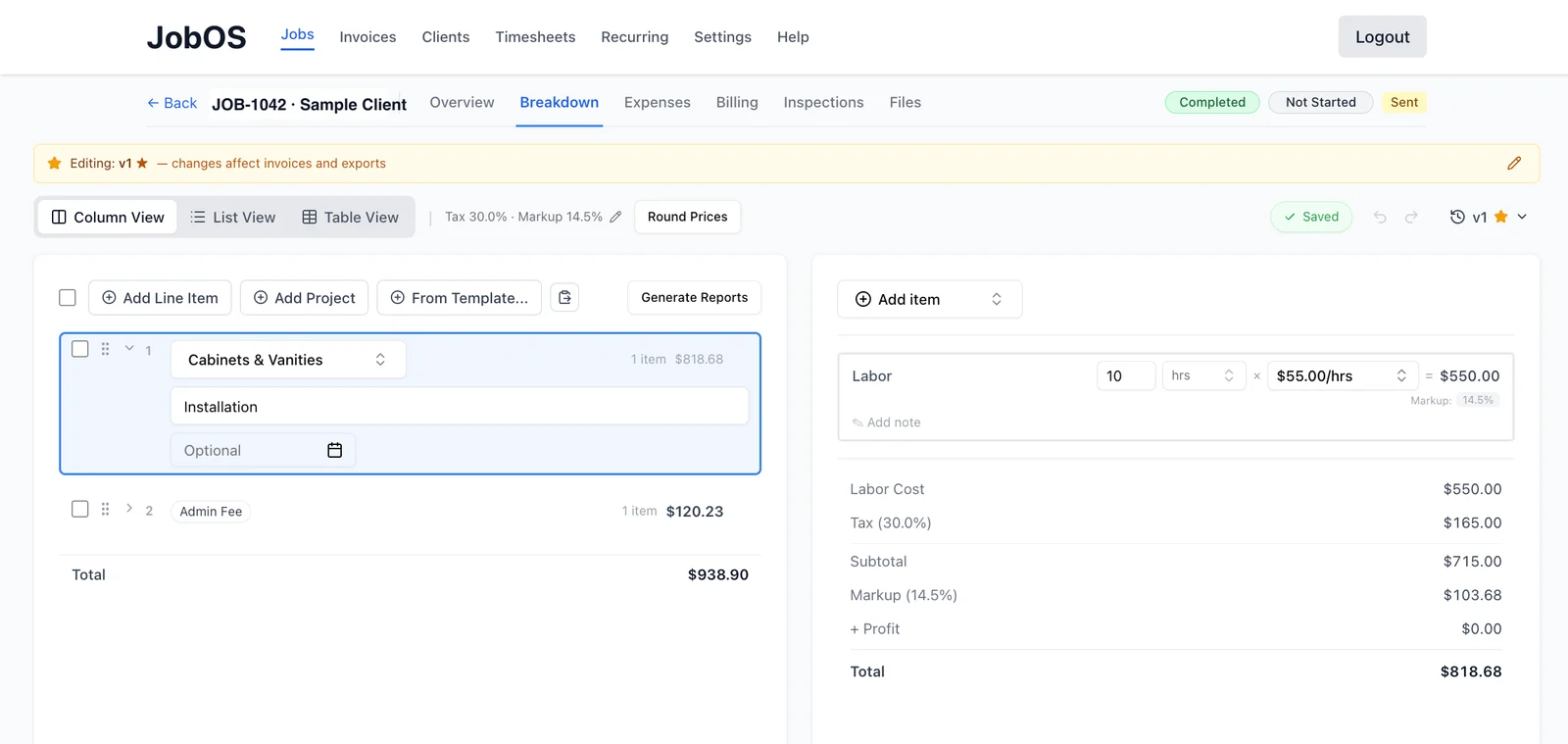
Estimating and invoicing were the worst of it. Putting together a single invoice could take a full day, because the information needed to build it was scattered across several places and had to be assembled by hand every time.
What I built
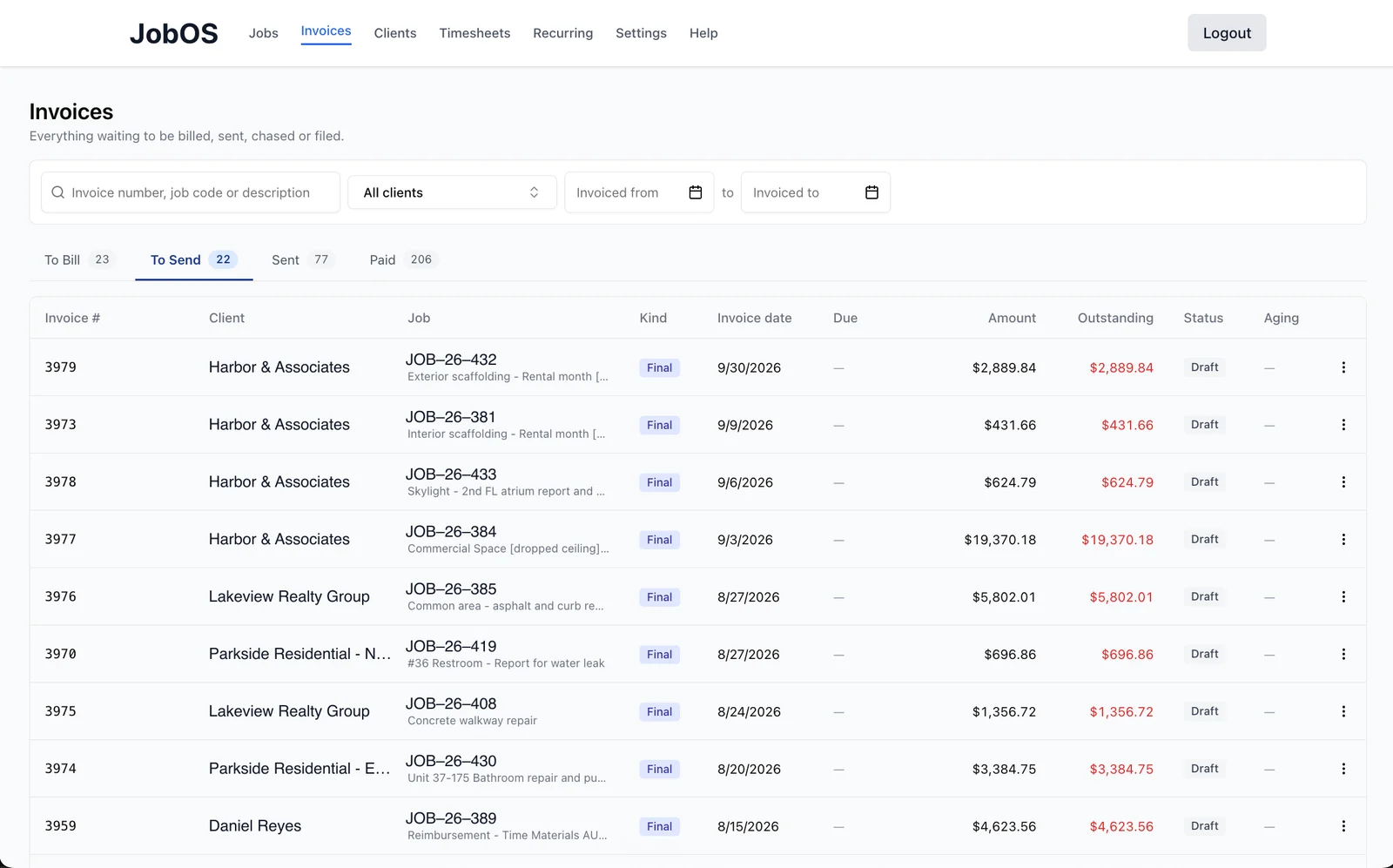
I built them a system called JobOS, designed around the processes they already had rather than around how I thought a construction company ought to run. Their data lives in one place now, the people doing the work use one tool instead of four, and the two slowest jobs in the office — estimating and invoicing — are built into it directly, including an estimator that breaks a job down into its component costs.
Result
An invoice that used to take a full day can now be done in as little as a few hours.
I also built them automatic reconciliation, which matches bank transactions against outstanding invoices so nobody has to do it by hand. The bot reads their transaction data off the browser and matches it against invoices generated in the JobOS platform, shaving hours off of a menial task, and giving them greater assurance during tax time.
Other things I’ve built
A searchable database of local fabric stores. A personal project that scraped the listings from several fabric retailers and pulled them together into one place you could actually search across, instead of checking each store’s site separately. It’s since been taken down.
Wedding Dossier. A tool I’m currently building that connects to a wedding planner’s email and organizes what’s in there, so the things that are urgent or need a decision surface instead of getting buried in the inbox.
Get in touch
If you’ve got something that looks like one of these, I’d be glad to hear about it.